Undo Anything.
Lose Nothing.
Sprout is version control and hosting for everyone who makes things: developers first, and writers, designers, musicians and researchers too. It reads and writes Git, so GitHub, your editor and your scripts keep working, and adds plain words, undo for anything, big files that just work and a phone app for reviews. Every demo below runs in your browser; the screens are from Sprout itself, and every number says how it was measured.
- Windows
- Linux
- macOS
- iOS
- Android
- Web
Every action on a timeline. Every one undoable.
Your work is always saved: the working copy is itself a save, so there's no staging area and no stash. Every action, a save, a bring-in, even a share, goes in an operation log, and undo takes back the last one, on Sprout hosting too. Plain words by default; a switch shows Git's. Drag along the timeline, then undo.
Measured 26 October 2026 on one machine (Linux, 4 cores, release build of sp) on a copy of Avlory's own repository, 11,672 files. The watcher is Sprout's own file watcher, which the app keeps on for each open project. For scale, git status took 0.09 s on the same copy.
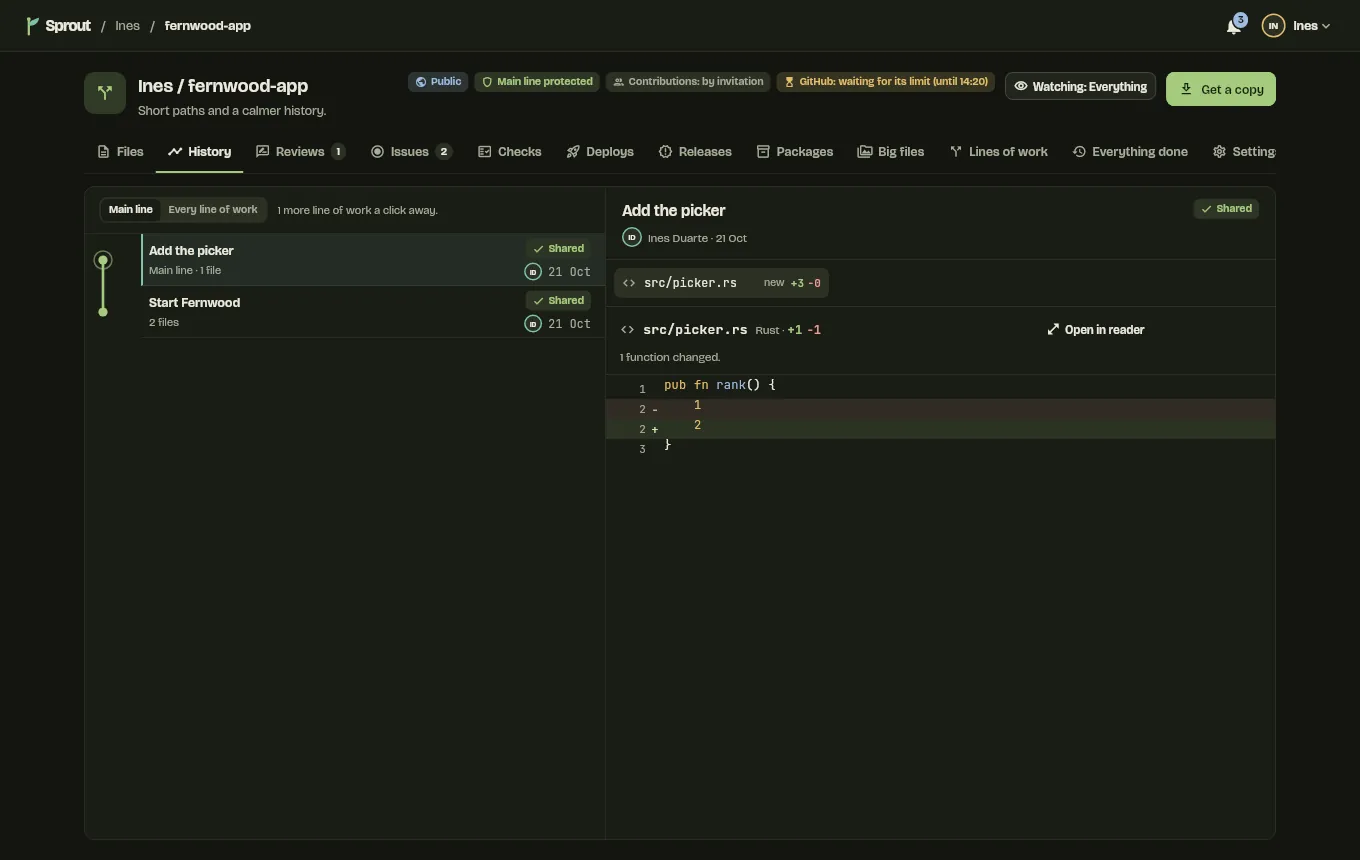
Save just the lines you meant to.
Pick whole files, single changes or single lines, and save only those; everything else stays as unsaved work, still kept. As in the app: Space picks the line you're on, A picks the whole file, S saves what's picked. Git's own hooks see exactly the picked changes.
Arrow keys move, Space picks, A picks the whole file, S saves. Or click a line.
Split a save
First buildA save that isn't shared yet splits in two, the files you name first. Undoable, like everything.
Absorb fixes
First buildEach unsaved change moves into the save, not shared yet, that last changed those lines.
Move a save
First buildPut a save elsewhere in its stack, or drag it in the app; the saves on top follow.
Signed like Git
First buildSaves are signed with Git's own signing settings, SSH, GPG or X.509. If signing fails, nothing is saved unsigned.
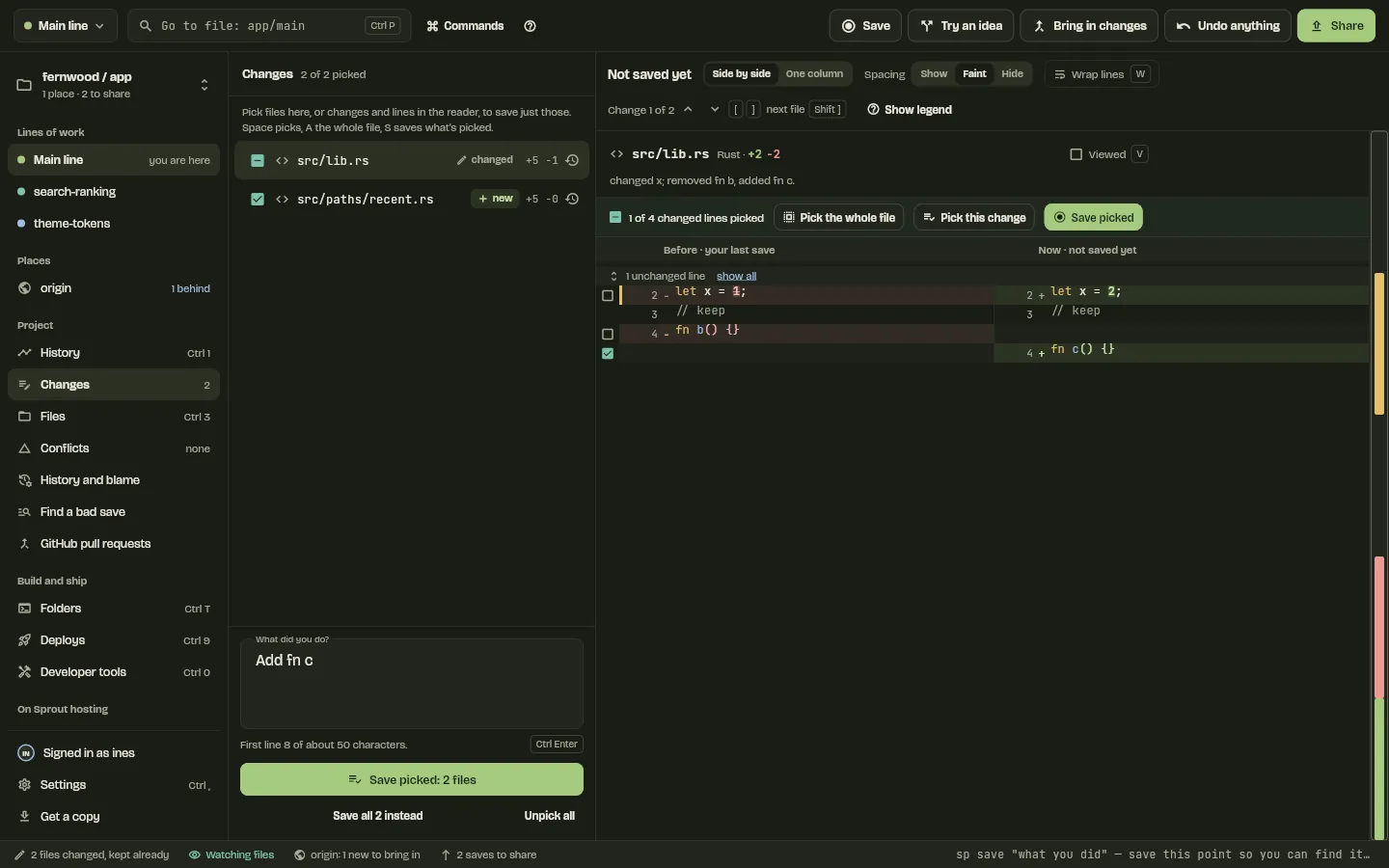
Try an idea. Conflicts never stop you.
Try an idea apart from the main line, then bring it in. Two changes to different functions in one file will be combined by the code's structure and marked “please check” once each language passes its own test suite; until then Sprout combines them line by line, as Git does. Two changes to the same code make a conflict that's saved in history: nobody's work is lost, you keep working, and it can't be shared until a person settles it. Sprout never keeps two versions of code side by side.
User::new changed on both sides
Ines changed what User::new takes; Kofi added a second User::new. The conflict is saved in history, and src/user.rs can't be shared until it's settled.
Measured 28 October 2026 on the 4-core Linux build machine with another build running, release sp, one process per command, on a generated repository of 10,016 files with 301 saves and a second branch; one run, so a figure can be off by a third. cargo test --release -p sprout-cli --test scale -- --ignored --nocapture sweep_10k
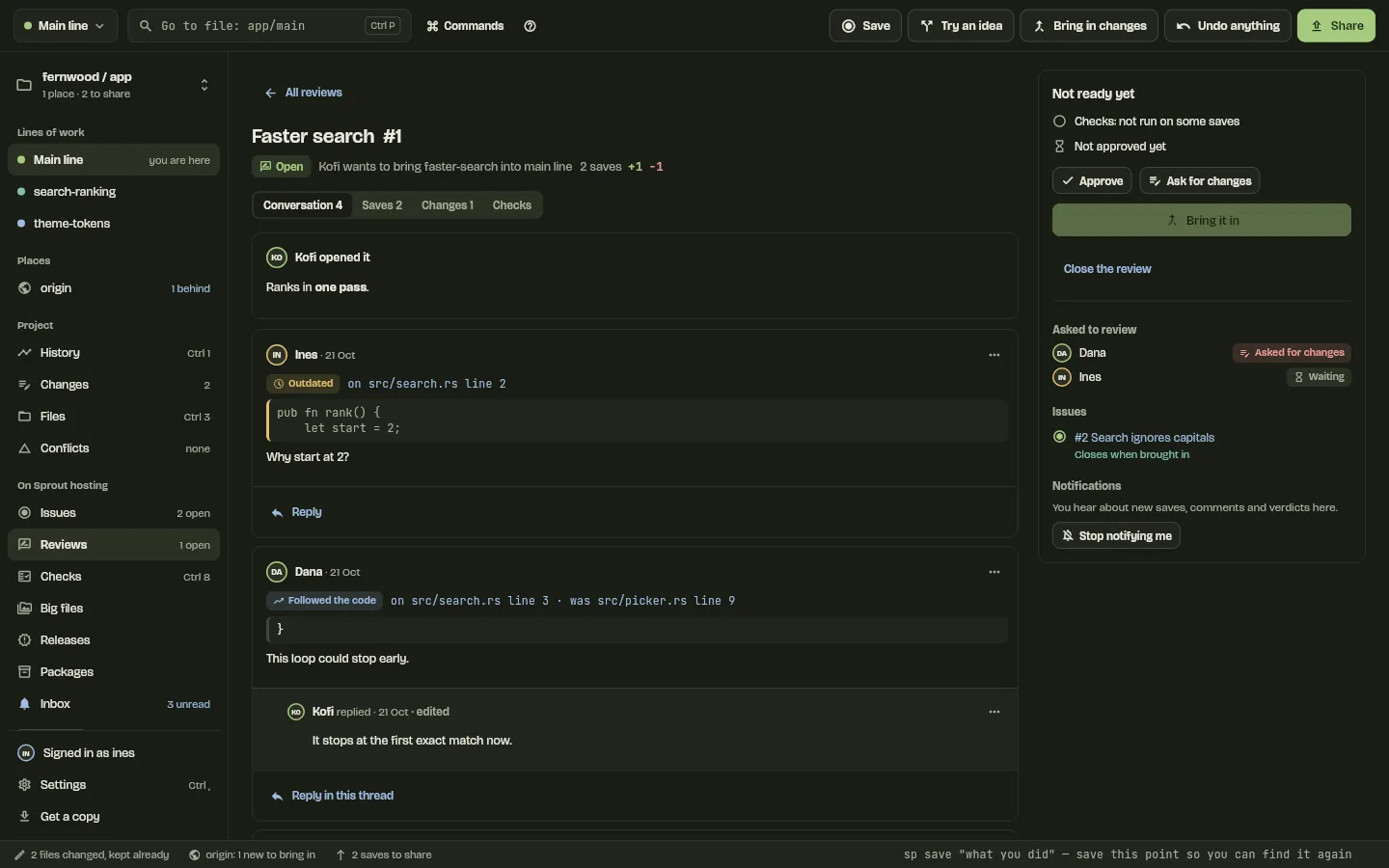
GitHub keeps working. Both ways.
A project on Sprout hosting stays in step with a GitHub repository both ways, through webhooks, with polling when they stop. A line changed on both sides is held as a conflict, never kept twice, with GitHub's version beside it. Force-pushes and deleted branches wait for a person. Everything that comes in can be undone, and the whole GitHub module can be switched off.
Sprout hosting
GitHub
A simulation of the sync's rules, not a connection to GitHub.
Sign in with a code
First buildSprout shows a short code, you type it on github.com, and the key stays in the system keychain. No token pasting.
Bring issues and pull requests
First buildGitHub's issues and pull requests can be imported once, and pull requests can be read, approved and merged from Sprout.
GitHub Actions, if you want
First buildA project can also run its checks through GitHub Actions; their results show beside Sprout's, marked as from GitHub.
Plain Git underneath
First buildEvery save is an ordinary Git commit beside a normal .git, so other tools and plain git keep working.
Not tried against the real GitHub yet
- Every test of the GitHub module runs against a stand-in GitHub on the same machine, which speaks its REST calls, device sign-in, Git over HTTP and signed webhooks. No test reaches github.com.
- Signing in to GitHub needs Sprout's OAuth app, which the owner registers once from the steps in the code.
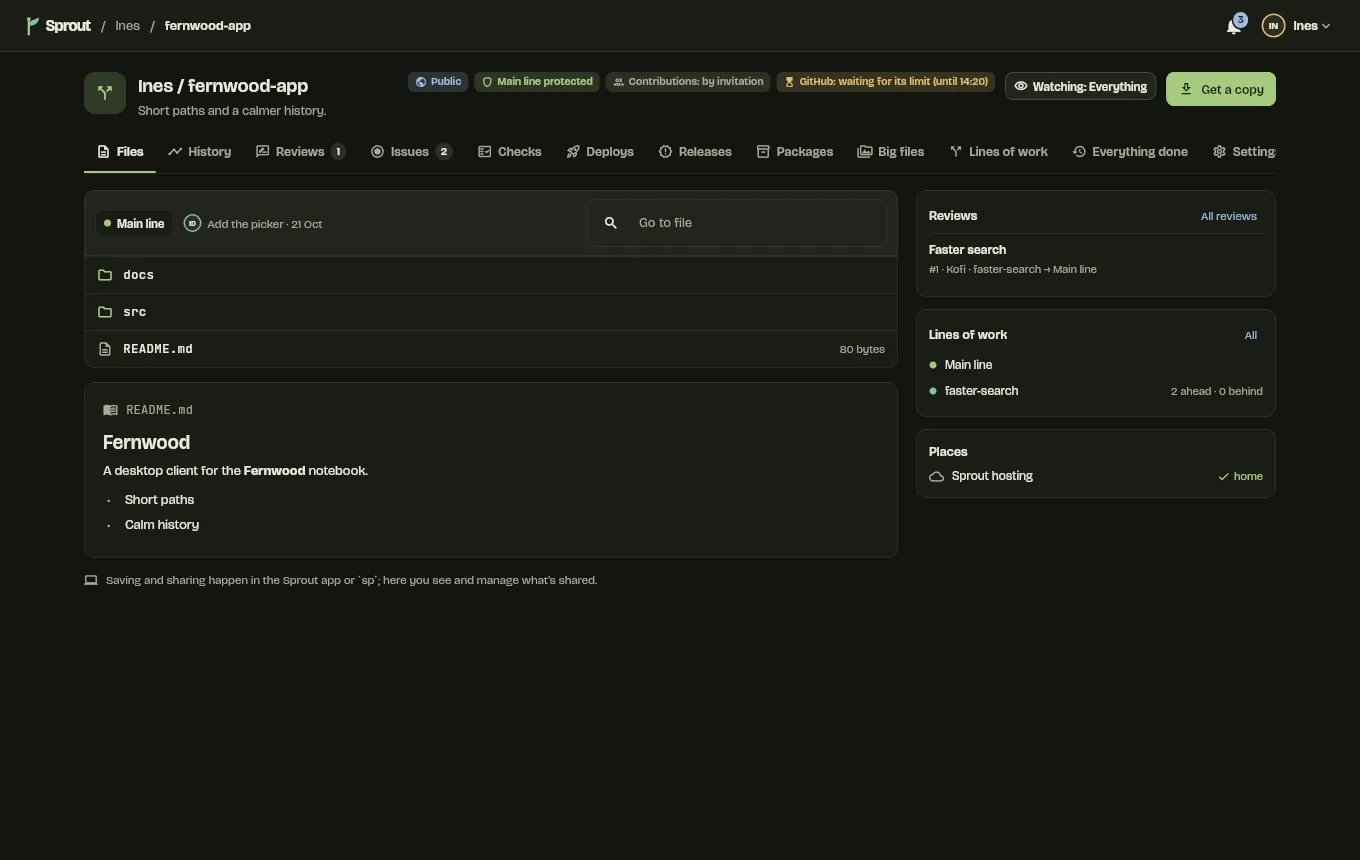
Big files for every kind of work.
Songs, photos, footage, 3D and game assets go in Sprout's big-file store, cut into 1 MB chunks that versions share, fetched only when you need them, and resumed where a transfer stopped. GitHub and plain Git still see ordinary Git LFS files. Files that can't be merged can be locked. Changes show in each file's own way: pictures side by side, overlaid or swiped, recordings as waveforms with the changed stretches marked. Change part of a 500 MB recording, then share it.
An illustration: each square is one 1 MB chunk.
Measured 23 October 2026 on one machine, release build, with the Sprout server on the same machine (127.0.0.1), so these are Sprout's own costs with no real network in between.
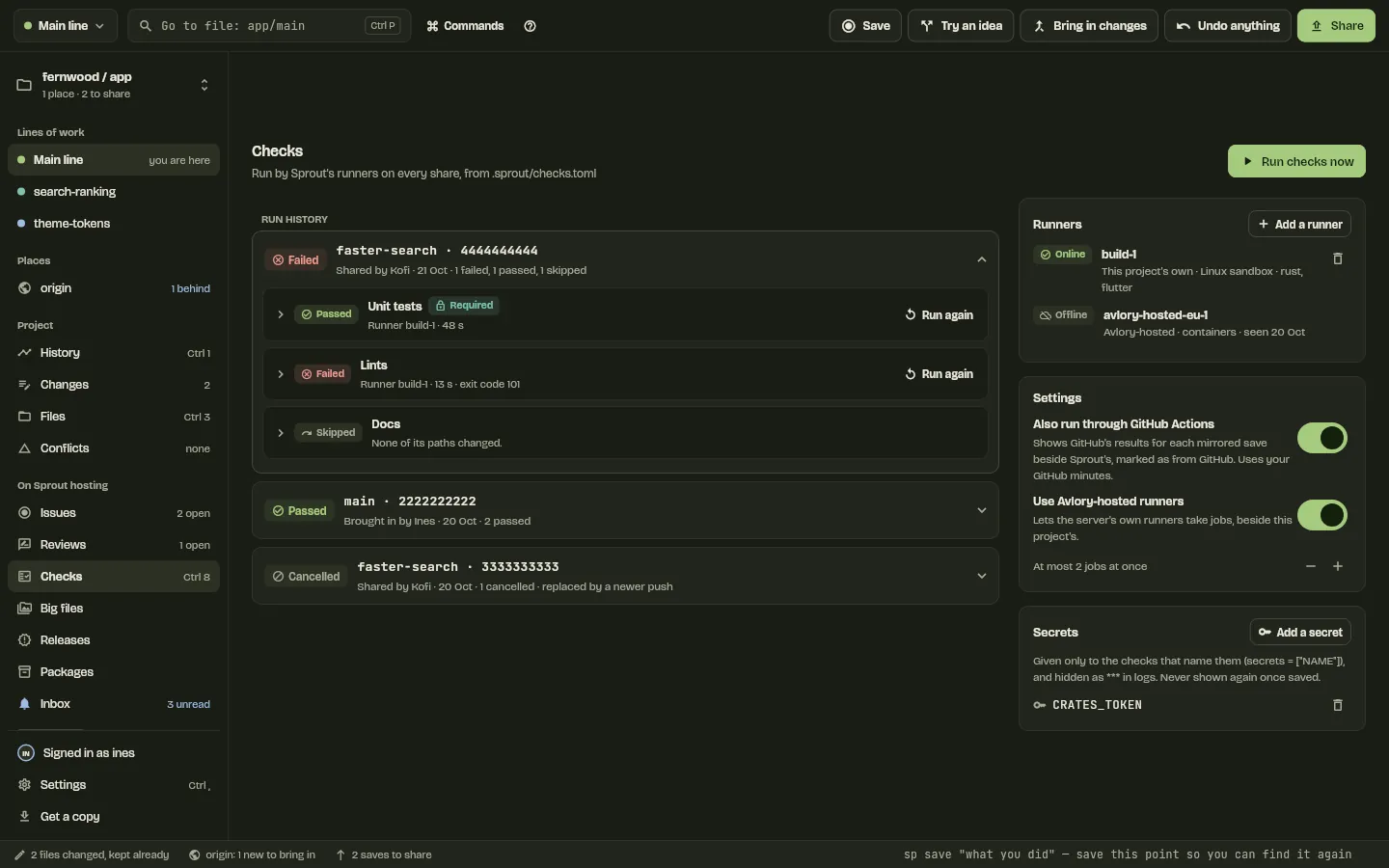
Checks run first on your machine.
sp share runs the project's checks on your computer first and always scans for secrets, then writes the result into what it shares as signed Sprout-Check lines, so the server reruns only what it must. Reviews, issues and one inbox are built in, on the desktop, in the browser and in the phone app. Share once with the tests passing, then make one fail.
Runners you own
First buildA runner on your own machine runs each job in a container or a Linux sandbox, and signs every result with its own key.
Reviews that follow the code
First buildComments on lines follow their code as new saves land; outdated ones are marked and kept. Bringing a review in can be undone.
One inbox
First buildReview requests, mentions and assignments in one place, with email through Avlory's own mail and no tracking.
The phone app
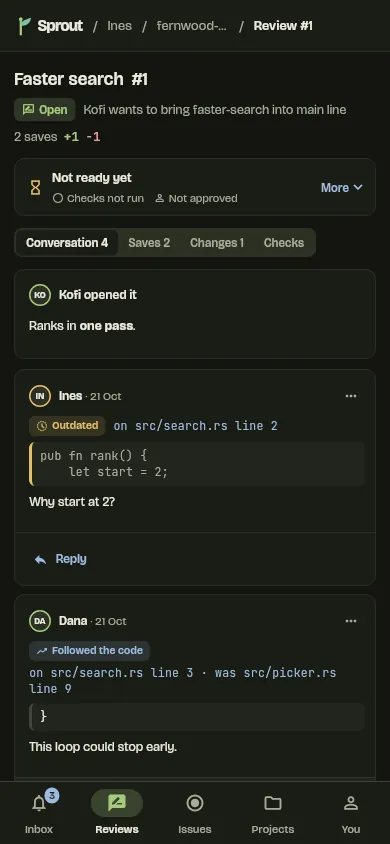
Not on a phone yetInbox, Reviews, Issues, Projects and You, with reviews opening conversation first. Built and tested at phone size; not yet run on an Android or iOS device.
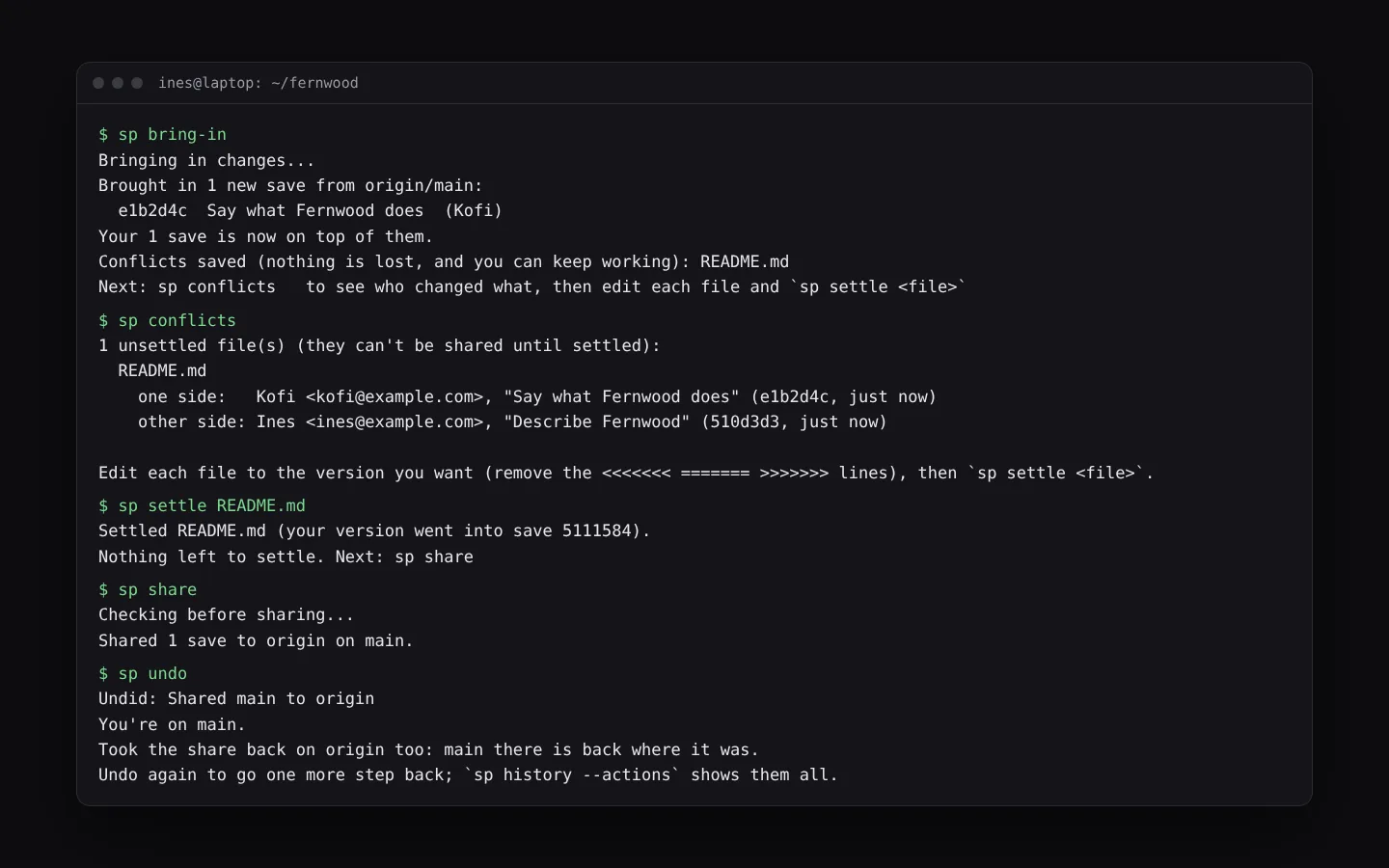
Plain words in the terminal. Git's beside them.
The command line is one program with two names: sprout, and sp for short. It has 53 commands, every error ends with what to do next, and --git-words (or a setting) says commit, branch and push instead of save, line of work and share. Below, real sessions recorded from sp play back in a terminal.
Recorded from a real sp build on 4 November 2026. Played back, not live.
Each recording ran in a fresh practice project whose shared copy is a Git repository on the same machine, so no network. Commands type out at a steady pace, because typing isn't recorded. Each line of output appears when sp printed it, at real speed, on the 4-core Linux build machine. Lines starting with # say what happened between commands.
Cheat sheet
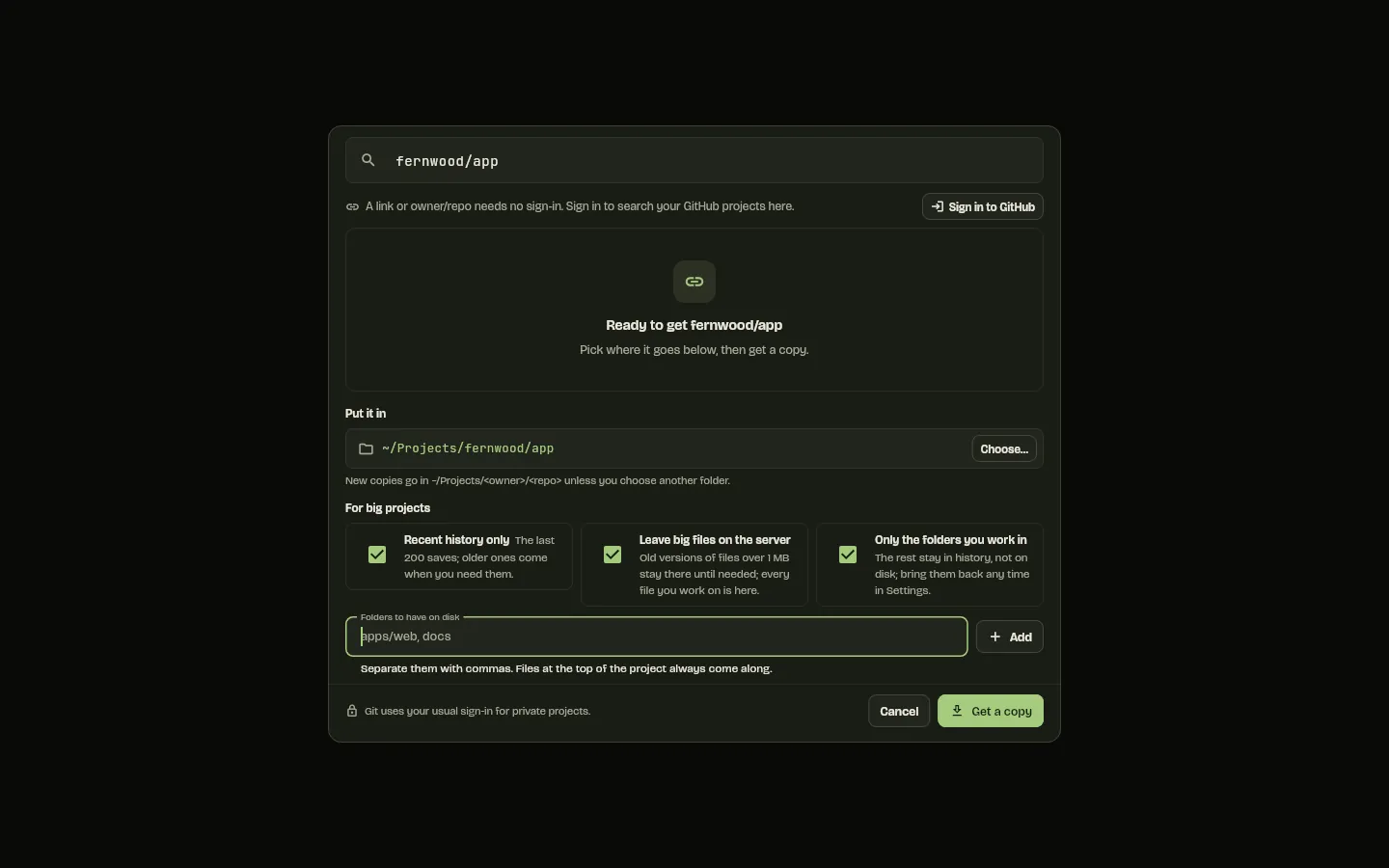
sp get owner/repoGet a copy (owner/repo means GitHub)sp statusWhat's changed, and what to do nextsp save "what you did"Name this point. Your work is kept anywaysp undoUndo the last thing you did, whatever it wassp try idea-nameTry an idea apart from the main linesp switch mainBack to the main line, no stashingsp bring-inBring in others' changes, yours on topsp shareChecks, a secret scan, then sharesp conflictsWho changed what, then sp settle <file>sp helpEvery command; --git-words for Git's words
The commands, grouped
| Command | What it does, in sp help's words | In Git |
|---|---|---|
| Start | ||
sp get <owner/repo | url | path> [folder] | get a copy of a project | git clone |
sp get --recent[=N] --without-big-files[=SIZE] --only=a,b | for big projects: only the newest N saves (50), old versions of files over SIZE (1m) left out until needed, only these folders on disk | git clone --depth, --filter=blob:limit |
sp init [folder] | start Sprout here (an existing Git repository stays as it is) | git init |
sp status | what's changed since your last save, and what to do next | git status |
sp | on its own opens the Sprout app on this project (sp --terminal shows the status instead) | None |
| Save and undo | ||
sp save "what you did" | name this point (your work is always kept anyway) | git commit, with no staging step |
sp undo | undo the last thing you did, whatever it was (a share too, on the shared copy, if nobody has built on it yet) | No one command (Jujutsu's jj undo) |
sp undo --as-new-save | take your last share back with a new save on Sprout hosting (when someone has built on it), then bring it in | git revert, then git pull |
sp revert <save> | a new save that takes back what an earlier one changed | git revert |
sp history [--actions] | your saves, or every action you took | git log |
sp history <file|folder> | the saves that changed it (a file followed through renames) | git log --follow -- <path> |
sp blame <file> | who changed each line, in which save, and the save's message | git blame |
sp split <save> <file>... [-m "..."] | split a save in two: these files first, the rest after | None (Jujutsu's jj split) |
sp absorb [save] | move each change into the unshared save that last touched those lines (your unsaved work by default) | None (Jujutsu's jj absorb) |
sp move <save> --after|--before <save> | put a save somewhere else in its stack (undoable) | git rebase -i |
sp bisect start [bad] [good] | find the save that broke something by halving the history | git bisect |
| Share | ||
sp share | checks, a secret scan, then share (to Sprout hosting or GitHub) | git push |
sp share --skip-checks "why" | emergencies only: no checks (the secret scan still runs); every save shared is marked for reviewers | git push |
sp save|share --skip-hooks "why" | emergencies only: don't run the project's Git hooks (pre-commit, commit-msg, pre-push); the saves say so | --no-verify |
sp bring-in | bring in others' changes; conflicts are saved, never blocking | git pull --rebase |
sp tag new <name> [save] -m "..." | an annotated tag on a save (signed when Git signs tags) | git tag -a |
sp tag push [name] | send tags to the shared copy | git push origin <tag> |
| Lines of work and ideas | ||
sp try <name> | start trying an idea, apart from the main line | git switch -c |
sp switch [name] | move to another line of work (no stashing, ever) | git switch, plus git stash |
sp conflicts | unsettled files, with who changed each side | None |
sp settle <file> | mark a file settled after you've edited it | git add <file> after a merge |
sp folder add <path> [line] | another folder for this project, on its own line of work | git worktree add |
| GitHub | ||
sp github setup [client-id] | connect Sprout to GitHub once: the steps to register its app on GitHub, then the app's client ID saved, then sign in | None |
sp github login | sign in to GitHub with a code you approve on github.com (the key is kept in your system keychain); Git then uses it too | gh auth login |
sp github status | who you're signed in to GitHub as, and where Git uses it | gh auth status |
sp github git everywhere|project|off | where Git uses your GitHub sign-in: your global Git config, each project Sprout opens (the default), or nowhere | gh auth setup-git |
sp github on|off | switch the GitHub module on or off on this computer (off: no GitHub sign-in, owner/repo stops meaning GitHub) | None |
sp pr [list] | show <n> | comment <n> "..." | GitHub pull requests for a project shared on GitHub | gh pr list, view, comment |
sp pr open [line] --title "..." [--draft] | open one from a shared line of work | gh pr create |
sp pr approve|ask-changes <n> ["..."] | review one | gh pr review |
sp pr merge <n> [--squash|--rebase] | merge one on GitHub (then sp bring-in) | gh pr merge |
| Checks | ||
sp checks | the project's checks, and on Sprout hosting how they went on your last save (signed results, GitHub Actions' beside them) | gh run list |
sp checks run [name...] [--isolation x] | run them here exactly as a runner does: a clean copy, sandboxed (best|container|sandbox|none); sp share won't run them again | None |
sp checks logs <job> [--follow] | a job's log on Sprout hosting, live with --follow | gh run view --log |
sp checks rerun <job>, sp checks cancel <job> | run one finished job again, or stop one | gh run rerun, gh run cancel |
sp checks import <workflow.yml> [--write] | turn a GitHub Actions workflow into .sprout/checks.toml | None |
The middle column quotes sp help. The Git column is the nearest Git or GitHub CLI command; Sprout runs Git underneath, so every save is an ordinary Git commit.
Also in sp
sp reviewReviews on Sprout hostingsp issueIssues on Sprout hostingsp inboxWhat needs yousp watchHow much a project tells yousp filesBig filessp lock,unlock,locksFiles that can't be mergedsp releaseReleasessp packagePackagessp onlyOnly these folders on disksp watcherFast status on big projectssp oplogEvery action, for scripts and Pulsesp ls,go,cd,openShort pathssp setup-shell,completionsShell setup and tab completionsp login,logout,whoami,projectsSprout hosting sign-insp deployDeployssp toolsDeveloper tools and PATHsp ignoreWhat Sprout does with a path, and whysp credentialGit's credential helper (for Git only)sp gitAny Git command, as issp versionSprout's version
Commands: counted in the command line's list (crates/cli/src/commands.rs), which drives “did you mean”, tab completion and a test against the commands sp runs. Timings: measured 28 October 2026 on the 4-core Linux build machine with another build running, release sp, one process per command, on a generated repository of 1,016 files with 301 saves; one run, so a figure can be off by a third. cargo test --release -p sprout-cli --test scale -- --ignored --nocapture sweep_1k
Sprout and the rest of Avlory.
Sprout is how Avlory's apps keep versions: Sculpt, Photos and Pulse already use Sprout's own engine, and GitHub stays in step with it.
Sculpt
In a first buildEach Sculpt save can be a Sprout version, with .sculpt files kept as big files. Trying a different look is a line of work.
GitHub
In a first buildTwo-way sync with a GitHub repository, sign-in with a code, pull requests from sp pr, and issues and pull requests imported once. Tested against a stand-in for GitHub so far, not the real one.
Pulse
In a first buildVersions and history in the IDE: blame, lines of work, undo and conflicts run on Sprout's own engine, the same code sp runs.
Photos
In a first buildPhotos keeps its versions through Sprout, and pictures compare side by side, overlaid or swiped.
Sound and Voice
In a first buildRecordings (WAV, AIFF and .voice) show their changes as changed regions on a waveform.
Quill
PlannedQuill docs versioned in Sprout, with changes shown as tracked changes.
Nebula
PlannedMerging and versions for a game's code, scenes and big art files.
Marketplace
PlannedAnything made for Sprout's public repositories is always free.
Where Sprout is today.
In development. The first build is in place: the sp command line, the desktop app (Linux first), Sprout hosting with the same app in the browser, and the phone layout. Sprout and Pulse ship first, together. Downloads open through the waitlist.
Tested
- On a Linux build machine with 4 cores.
- The Rust core's tests, scale sweeps from 1,000 to 250,000 files, and the app's widget, accessibility and screen tests in Loam, Daylight and high contrast.
- Hosting, checks and the GitHub sync against stand-ins on the same machine.
Not tested yet
- Windows and macOS builds.
- The phone app on Android and iOS devices.
- Syncing with the real GitHub.
- Sprout hosting on a real server; the test server waits for the owner's go-ahead.
No feature moves up a tier
A saved project always opens and exports, even after a plan ends.
Never locked out offline
History and differences are on your computer, so work goes on when a server is down.
Leaving is easy
Every project is an ordinary Git repository underneath, with nothing to convert.
Free to start
Plans and prices are announced at launch. All the promises
Try Sprout First.
Sprout's downloads open through the waitlist. We'll email you when it's ready on your platform.